
Home > Laptop Batteries > Dell > Replacement for Dell Inspiron XPS M170 battery
Replacement for Dell Inspiron XPS M170 Laptop Battery
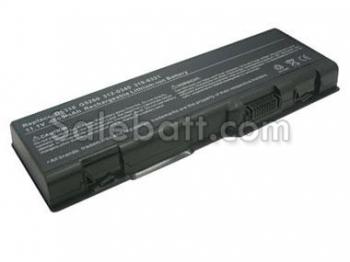
- Item Name: Replacement for Dell Inspiron XPS M170 battery
- Availability: In Stock
- Condition: Brand New
- Warranty: One Year Warranty
- Guarantee: 30 Days Money Back
- Capacity: 4400mAh 6600mAh
- Volt: 11.1V
- Color: Black
- Usually ships in the same business day.
- Can't find your laptop battery? Please feel free to contact us.
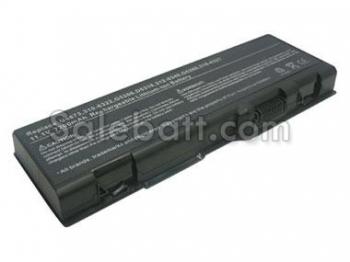
Compatible part#
- Dell 310-6321
- Dell 310-6322
- Dell 312-0339
- Dell 312-0340
- Dell 312-0348
- Dell 312-0349
- Dell 312-0350
- Dell 312-0425
- Dell 312-0429
- Dell 312-0455
- Dell C5974
- Dell D5318
- Dell F5635
- Dell G5260
- Dell G5266
- Dell U4873
- Dell Y4873
- Dell YF976
Fit models
- Dell Inspiron 6000
- Dell Inspiron 9200
- Dell Inspiron 9300
- Dell Inspiron 9400
- Dell Inspiron E1705
- Dell Inspiron XPS Gen 2
- Dell Inspiron XPS M170
- Dell Inspiron XPS M1710
- Dell Precision M6300
- Dell Precision M90
Battery Tips: How to prolong your battery life
- Put your computer to sleep when not in use) - If you're taking a break, let your computer take one as well.
- Remove the Dell Inspiron XPS M170 laptop battery if the notebook will be stored (turned off and not plugged into AC power) for more than 2 weeks.
- Try to avoid using a PC Card adapter, as they can drain your battery quickly, and make sure that your USB devices are set to allow Windows to shut them off to save power—you can find the settings in device manager's Power Management property pane for the device.
- Make sure to discharge the Dell Inspiron XPS M170 battery sometimes, and if you spend most of your time plugged in at a desk, you would be better off running the battery down to half, and then simply removing the battery and storing it in a cool place.
- Use the right adapter - Ensure that the adapter you use to charge the laptop battery is an original one or one with the correct specifications. A mismatch in the wattage could cause an overload thus damaging the laptop and the battery.