
Home > Laptop CPU Fans > Lenovo > Replacement for Lenovo thinkpad sl500 Laptop CPU Fan
Replacement for Lenovo thinkpad sl500 Laptop CPU Cooling Fan
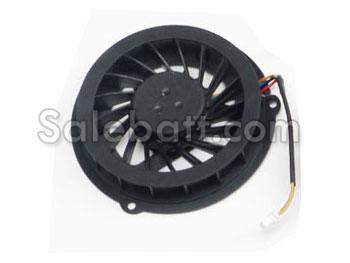
- Item Name: Replacement for Lenovo thinkpad sl500 fan
- Availability: In Stock
- Condition: Brand New
- Warranty: 180 Days Warranty!
- Guarantee: 30 Days Money Back
- Package: 1x CPU Cooling Fan
- Remark: Heatsink not included
- Usually ships in the same business day.
- Can't find your laptop cpu fan? Please feel free to contact us.
Customers Who Bought This Item Also Bought
Five Reasons to Replace Your Laptop Fan and Heatsink
- Just like any other moving part, the Lenovo thinkpad sl500 fan can break down over time. After enough use, even the best fans are bound to stop working. If a fan becomes damaged or broken, it must be replaced.
- Excessive noise is actually not a problem in and of itself. Rather, it is a symptom of a failing fan. If a user is hearing excessive noise coming from their machine, it is possible that the fan has come loose, which is a problem that can be rectified.
- A heatsink can actually melt if it becomes too hot, and if this happens, the heatsink will not work properly. When a heatsink begins to melt, it is time to get a new heatsink.
- Direct problems with the fan or heatsink are not the only cases that require a new Lenovo thinkpad sl500 fan and heatsink. Upgrades to the system, such as adding a new graphics card or replacing the processing unit, RAM, and motherboard could all necessitate a new fan and heatsink.
- Running powerful software is another indirect issue that may necessitate a new fan and heatsink. User will install a new processor if the current one struggles to run the software, but a new fan and heatsink can provide a temporary fix. It will keep the processor cool, which will prevent the motherboard from being irreparably damaged.