
Home > Laptop Batteries > Toshiba > Replacement for Toshiba Tecra R10-S4401 battery
Replacement for Toshiba Tecra R10-S4401 Laptop Battery
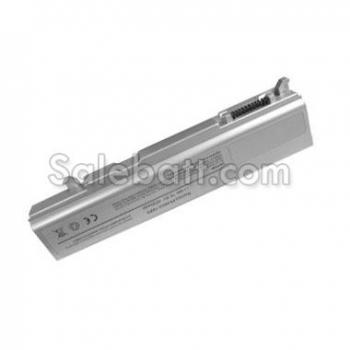
- Item Name: Replacement for Toshiba Tecra R10-S4401 battery
- Availability: In Stock
- Condition: Brand New
- Warranty: One Year Warranty
- Guarantee: 30 Days Money Back
- Capacity: 4400mAh
- Volt: 10.8V
- Color: Silver
- Usually ships in the same business day.
- Can't find your laptop battery? Please feel free to contact us.
Compatible part#
- Toshiba PA3692U-1BAS
- Toshiba PA3692U-1BRS
Fit models
- Toshiba Tecra R10 Series
- Toshiba Tecra R10-00D
- Toshiba Tecra R10-10I
- Toshiba Tecra R10-10J
- Toshiba Tecra R10-10K
- Toshiba Tecra R10-10V
- Toshiba Tecra R10-111
- Toshiba Tecra R10-112
- Toshiba Tecra R10-114
- Toshiba Tecra R10-11B
- Toshiba Tecra R10-11J
- Toshiba Tecra R10-ES1
- Toshiba Tecra R10-S4401
Why buy the Toshiba Tecra R10-S4401 battery from us?
- High Quality - Made from high quality Li-ion cells(Japan), though this replacement Toshiba Tecra R10-S4401 battery is not a original one, it is manufactured to meet or exceed the specifications of the original brand manufacturer.
- Low Price - The all products are sold at factory price. There is much more to getting the best deal than just the lowest price.
- Secure Shopping - Salebatt.com is a completely safe environment to purchase in. Our store features the latest SSL Encryption along with the industry's most advanced security software.
- Warranty - The Toshiba Tecra R10-S4401 laptop battery have 30 days money back and one year warranty.
- International Shipping - Salebatt.com will happily ship orders worldwide. We offer a full range of shipping services available via DHL and the USPS.
- 100% Privacy Guarantee - We respect your privacy and are devoted to protecting it. We does not share with third parties your personal information. We do not sell lists for mailings or emails. We only access information such as your name, address, email address and phone numbers to serve you with better customer service.